
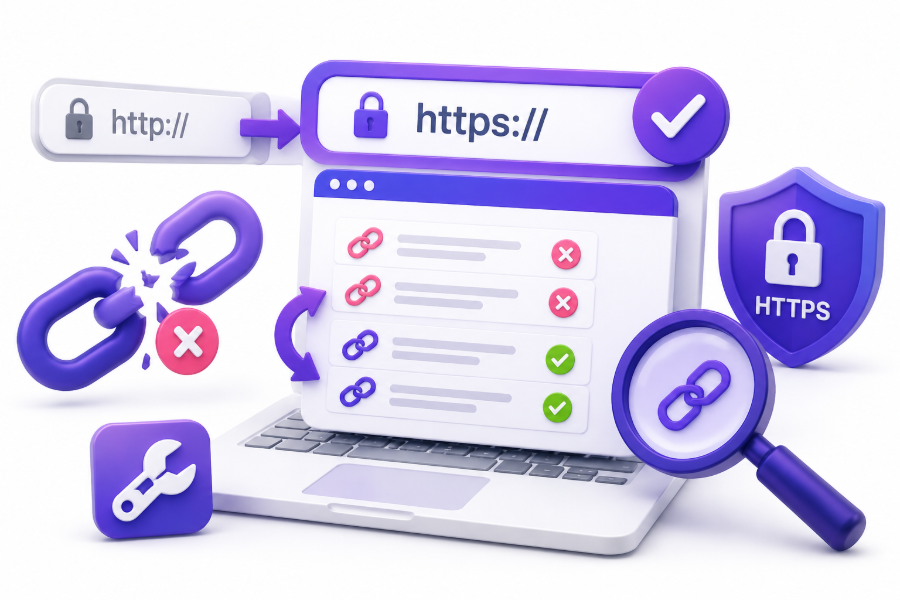
Switching a website from HTTP to HTTPS is an important step for security, trust, and search engine performance. HTTPS protects user data, improves browser confidence, and has become a standard requirement for modern websites.
However, changing your website URL structure can sometimes create broken links, redirect problems, and missing page errors. If old HTTP URLs are not handled correctly, visitors may land on unavailable pages while search engines may struggle to crawl your website.
Broken links after an HTTPS migration can affect user experience, SEO rankings, and website authority. Fixing these issues quickly helps maintain traffic and ensures that your website transition happens smoothly.
This guide explains the main causes of broken links after moving to HTTPS and the practical steps you can take to repair them.
Understand Why Broken Links Appear After HTTPS Migration
When a website changes from HTTP to HTTPS, every URL receives a new protocol. For example, an old page using http://example.com/service becomes https://example.com/service.
Although the page content remains the same, search engines and browsers see these as different URLs. Without proper configuration, old links may fail to redirect correctly or may point to outdated versions.
Broken links often appear because internal links, external references, images, scripts, or database records still contain HTTP versions. These outdated connections can create errors even when the main website is working properly.
Common reasons for broken links after HTTPS migration include:
- Internal links still using HTTP URLs
- Incorrect redirect settings
- Missing SSL configuration
- Old sitemap URLs
- External resources loading through HTTP
- Changed page addresses during migration
Check Your Website for Broken URLs After Migration
The first step in fixing broken links is identifying where problems exist. A complete website audit helps you find pages returning errors, outdated URLs, and resources that are not loading correctly.
Many website owners only check their homepage after switching to HTTPS. However, problems often appear on older blog posts, service pages, images, and hidden website sections.
Using SEO crawling tools can help scan your entire website and identify broken links. These reports show which pages contain errors and where the incorrect links are located.
Important issues to look for include:
- 404 page errors
- Redirect chains
- Redirect loops
- HTTP resource warnings
- Missing images
- Broken internal links
Update Internal Links From HTTP to HTTPS
Internal links are links that connect different pages within your own website. After an HTTPS migration, these links should point directly to HTTPS versions instead of relying on redirects.
Although redirects can send users to the correct page, direct HTTPS links create a cleaner website structure. They also help search engines crawl your website more efficiently.
Review important website sections such as navigation menus, footer links, blog articles, service pages, and category pages. Updating these links reduces unnecessary redirects and improves page accessibility.
You can update internal links by:
- Editing website content manually
- Using database search and replace tools
- Updating navigation menus
- Reviewing theme files
- Checking internal linking structures
Set Up Proper 301 Redirects From HTTP to HTTPS
A 301 redirect tells search engines and visitors that a page has permanently moved to a new location. During HTTPS migration, proper redirects ensure that old HTTP URLs automatically send users to secure HTTPS versions.
Without redirects, visitors who click old links may see error pages. Search engines may also treat the HTTP and HTTPS versions as separate pages.
A correct redirect setup should:
- Redirect every HTTP URL to HTTPS
- Keep the same page path
- Avoid redirect loops
- Avoid multiple redirect steps
- Preserve SEO value
For example:
Old URL:
http://example.com/blog-post
New URL:
https://example.com/blog-post
The redirect should send visitors directly from the old version to the new secure version.
Fix Mixed Content Issues After Moving to HTTPS
Mixed content happens when a secure HTTPS page loads some resources through insecure HTTP connections. These resources may include images, videos, JavaScript files, CSS files, or fonts.
Browsers may block these resources or display security warnings. This can damage user trust and create functionality problems on your website.
To fix mixed content issues, replace all HTTP resource links with HTTPS versions. If a resource does not support HTTPS, consider replacing it with a secure alternative.
Common mixed content sources include:
- Website images
- Embedded videos
- Tracking scripts
- External fonts
- Plugins and widgets
A clean HTTPS website should load every resource securely.
Update Your XML Sitemap With HTTPS URLs
Your XML sitemap helps search engines discover and understand your website pages. After changing to HTTPS, your sitemap should only contain secure HTTPS URLs.
Keeping old HTTP URLs in your sitemap can confuse search engines and slow down indexing. It may also create unnecessary crawl activity.
After updating your sitemap:
- Generate a new XML sitemap
- Replace HTTP URLs with HTTPS URLs
- Submit the updated sitemap to search engines
- Monitor indexing status
Updating your sitemap helps search engines recognize your new website structure faster.
Check Canonical Tags and Redirect Settings
Canonical tags tell search engines which version of a page should be considered the primary URL. After HTTPS migration, incorrect canonical tags can create indexing problems.
If your pages still contain HTTP canonical URLs, search engines may receive mixed signals about which version should appear in search results.
Review your website pages and make sure canonical tags point to HTTPS versions.
You should check:
- Canonical URLs
- Hreflang tags
- Open Graph URLs
- Structured data links
- Internal references
Keeping these elements consistent helps search engines understand your preferred website version.
Update External Tools and Marketing Platforms
Many website connections depend on your website URL. After moving to HTTPS, update third-party platforms that still reference HTTP versions.
This includes analytics tools, advertising platforms, email marketing systems, social media profiles, and business directories.
Incorrect URLs in external platforms may send users to outdated pages or prevent tracking systems from working properly.
Update important platforms such as:
- Google Analytics
- Google Search Console
- Advertising accounts
- Email campaigns
- Social media profiles
- Business listings
Keeping these platforms updated protects your traffic and data collection.
Use Google Search Console to Monitor HTTPS Issues
Google Search Console provides valuable information about how Google sees your website after migration. It helps identify indexing problems, crawl errors, and security issues.
After switching to HTTPS, verify your HTTPS property in Search Console. Submit your updated sitemap and monitor reports regularly.
Search Console can help you find:
- Indexed HTTPS pages
- Crawl problems
- Security warnings
- Mobile usability issues
- Coverage errors
Regular monitoring allows you to fix problems before they impact website performance.
Repair Broken Links Inside Website Content
Old blog posts and website pages often contain manually added links that still use HTTP URLs. These links can remain unnoticed for years unless you perform a content audit.
Review older articles, resource pages, and service descriptions. Replace outdated links with HTTPS versions or remove links that no longer exist.
Updating content links improves user experience and prevents visitors from encountering unnecessary errors.
For example, if an old blog post links to:
http://yourwebsite.com/service
replace it with:
https://yourwebsite.com/service
This small update keeps your website connections accurate.
Remove or Replace Broken External Links
Not every broken link comes from your own website. External websites, references, and resources may also become unavailable after your HTTPS migration.
While you cannot control every external link, you can review important outgoing links and replace outdated resources.
Broken external links can reduce content quality and make your pages less useful for visitors.
Consider:
- Checking important resource links
- Replacing outdated references
- Removing unavailable pages
- Finding secure alternatives
A well-maintained website provides a better experience for users.
Prevent Future Broken Links During Website Changes
Future website updates can create new broken links if changes are not managed carefully. Creating a proper migration process helps avoid similar issues.
Before making major URL changes, prepare a redirect plan and create a backup of your current website structure.
Good website maintenance practices include:
- Regular SEO audits
- Monitoring crawl errors
- Updating old content
- Maintaining redirects
- Checking website links frequently
A proactive approach reduces technical SEO problems over time.
Use SEO Tools to Find and Fix Link Problems
SEO tools make it easier to identify broken links after an HTTPS migration. These platforms crawl your website and provide detailed reports about technical problems.
Tools such as website crawlers and SEO auditing platforms can save time compared to checking every page manually.
They can help identify:
- Broken internal links
- Redirect problems
- Missing pages
- Duplicate URLs
- Technical issues
Combining these tools with regular website maintenance creates a healthier website structure.
Create a Smooth HTTPS Migration Checklist
A successful HTTPS migration requires attention to multiple website elements. Fixing broken links is only one part of the complete process.
Before completing your migration, review every important area of your website. This ensures visitors and search engines experience a consistent transition.
Your HTTPS migration checklist should include:
- Install SSL certificate
- Update internal links
- Create 301 redirects
- Fix mixed content
- Update sitemap
- Check canonical tags
- Verify Search Console
- Monitor website errors
Following a structured process reduces unexpected problems.
Conclusion
Moving a website from HTTP to HTTPS improves security and creates a better experience for visitors. However, incorrect migration settings can create broken links, redirect issues, and SEO problems.
By updating internal links, fixing redirects, correcting mixed content, updating sitemaps, and monitoring website performance, you can maintain a strong website structure after migration.
Learning how to fix broken link after changing to https helps protect search rankings, improve user experience, and keep your website accessible for both visitors and search engines.
FAQ’S
Why do links break after switching to HTTPS?
Links can break after HTTPS migration because old URLs may still use HTTP, redirects may be missing, or website resources may not have been updated. These issues prevent browsers and search engines from reaching the correct secure pages.
Does HTTPS migration affect SEO rankings?
HTTPS migration can affect rankings temporarily if redirects, sitemaps, or canonical tags are not configured correctly. A proper migration process helps preserve SEO value and allows search engines to recognize the secure website version.
How can I find broken links after HTTPS migration?
You can find broken links by using SEO crawling tools, website auditing software, and Google Search Console reports. These tools identify missing pages, redirect problems, and outdated HTTP references across your website.
Should all HTTP links be changed to HTTPS?
Yes, internal links and important website references should be updated to HTTPS. Although redirects can handle old URLs, direct HTTPS links create better performance and a cleaner website structure.
How long does HTTPS migration recovery take?
The recovery period depends on website size, migration quality, and search engine crawling speed. Small websites may recover quickly, while larger websites may require several weeks of monitoring and adjustments.
0 Comments